RAW JūCE Loyalty
Join Now and Unlock Exclusive Rewards!

Skip the Line, Save Time, & Earn Rewards
just for Ordering Your Faves!
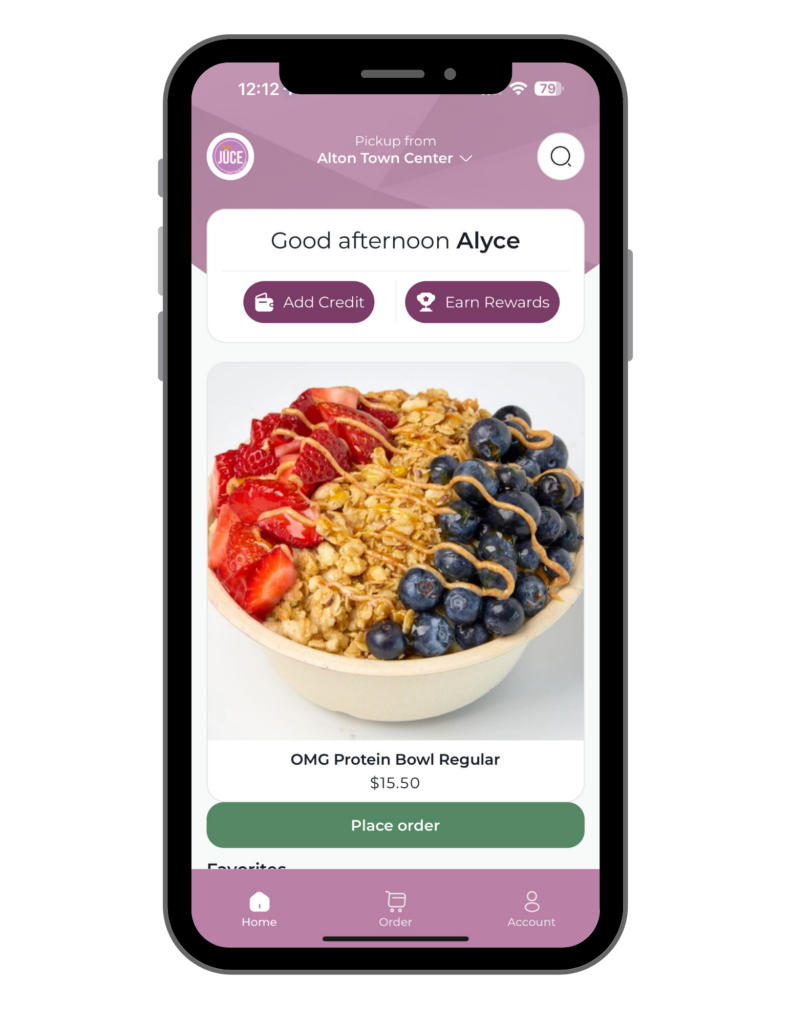
Download the Raw Jūce App
-
How it works
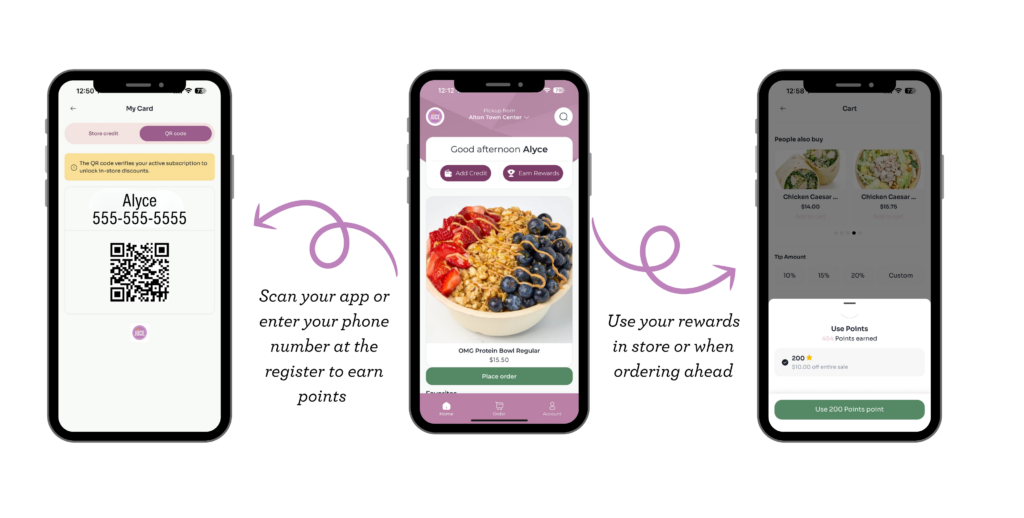
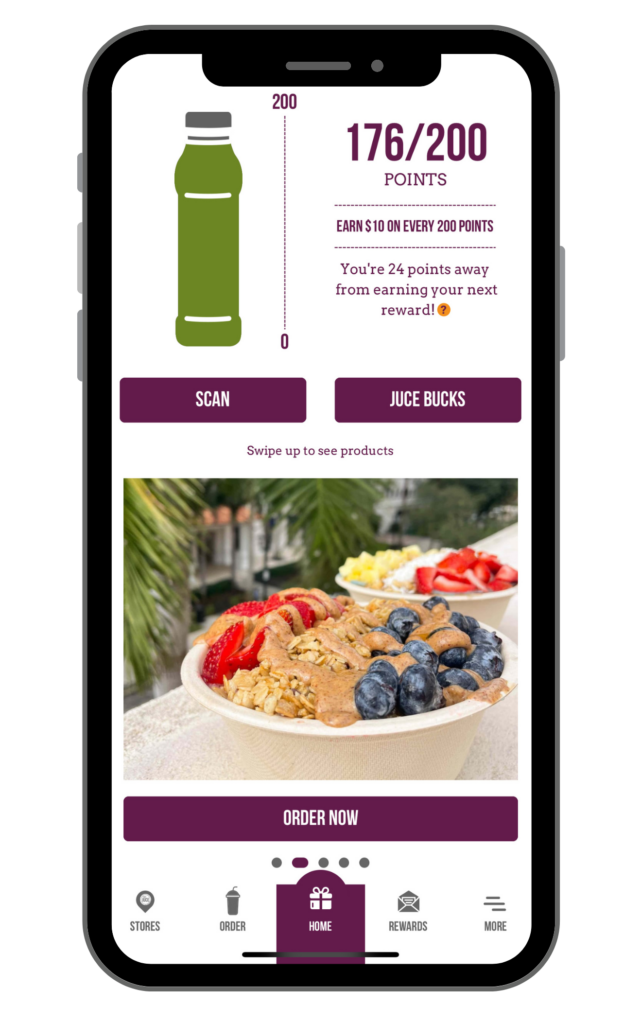
Earn 1 point for every $ you spend. Every 200 points unlocks a $10 reward that you can redeem anytime. -
Birthday Rewards
Get 25% off a Bowl, Smoothie, Wrap, Salad, Juce, or Iced Drink on your special day! -
App Offers
Get exclusive offers only available to Raw Jūce app users. -
Refer A Friend
Get $3 in Jūce Bucks every time you refer a friend who activates the Raw Jūce app and makes a purchase. -
Save Time, Skip the Line
Order ahead for pick up or delivery in the app to save time.
FREQUENTLY ASKED QUESTIONS
-
I forgot to have my app scanned when I paid. Can I still get my Points?
Yes! From the app home screen, tap "Scan" and select "Scan Receipt Barcode" to use your camera to scan the barcode printed on the bottom of your receipt. If you are experiencing difficulty scanning the barcode or prefer to enter the barcode number manually, please select “Enter Receipt Barcode Number”. From there, enter the barcode number and select “Done.” Barcodes must be scanned or entered in manually within 48 hours. -
Do I get points when I order online?
Of course! When you order on the app or through our website, points are automatically added to your account as long as you are signed in. Just make sure you sign in and don't check out as a "guest". -
I don't see my points & juce bucks from my old app...
Email info@rawjuce.com -
Do I always have to scan my app when I am in the store to get my points?
If you are a new member of our loyalty program, you can sign up in store and earn points at checkout by entering your phone number on the register screen. If you previously had our old rewards app, you'll need to download the new app and migrate your account in order to transfer any points & jūce bucks. After you've migrated your account, you can start earning points at the store by scanning your app or just entering your phone number at checkout. If there is any issues email info@rawjuce.com. -
Can I store a credit card on my app?
You can purchase store credit directly in the Raw Jūce app using your saved payment method. Open the app and click "Account" > Select "Add Store Credit" > Click "Add Funds" > Choose your amount > Click "Add Store Credit" > Select your payment method and complete payment.
Can I order delivery through the Raw Juce App.
Yes, you can order delivery through app and receive same in-store pricing.
Questions about the Daily Shot Club Subscription:
Pay $20 a month and get a free shot every day.
No rollover.
Sign up by downloading the Raw Juce app and follow the steps on the app's homepage.
Faqs
-
I forgot to have my app scanned when I paid. Can I still get my Points?
Yes! From the app home screen, tap "Scan" and select "Scan Receipt Barcode" to use your camera to scan the barcode printed on the bottom of your receipt. If you are experiencing difficulty scanning the barcode or prefer to enter the barcode number manually, please select “Enter Receipt Barcode Number”. From there, enter the barcode number and select “Done.” Barcodes must be scanned or entered in manually within 48 hours. -
Do I get points when i order online?
Of course! When you order on the app or through our website, points are automatically added to your account as long as you are signed in. Just make sure you sign in and don't check out as a "guest". -
I don't see my points & juce bucks from my old app...
In order to migrate your loyalty points & any jūce bucks, you need to migrate your account with your original email address. To make sure you used the correct email, tap "More", "Profile", and see which email you are currently logged in with. If you are using the wrong email, tap "Back", "Logout", and close out of the app completely to start the migration process over. Tap "Let's Get Juicy", "Current Member", and continue with the correct email address. If you are logged in with the correct email (double check for spelling errors) and believe your points and jūce bucks are incorrect, tap "More", "Need Help", "App Feedback", & send us an email so we can take a look at your accounts. -
I'm not receiving the verification code email...
Many email servers send our emails to your Junk or Spam folders. Check those folders and if needed, add emails from @rawjuce.com to your safe sender list so you never miss any jūcy news. -
I clicked redeem and now my app is counting down a timer, will my rewards expire?
No! If you accidentally click to redeem rewards before you are ready, don't fear. Once the timer runs out, your rewards will re-appear in your Jūce Bucks. -
Do I always have to scan my app when I am in the store to get my points?
If you are a new member of our loyalty program, you can sign up in store and earn points at checkout by entering your email. If you previously had our old rewards app, you'll need to update your app and migrate your account in order to transfer any points & jūce bucks. After you've migrated your account, you can start earning points at the store by scanning your app or just entering your email at checkout. -
can I store a credit card on my app for scan & pay?
Unfortunately, our new app does not allow guests to store a credit card for in store scan and pay. However, when you place an order in the app for order ahead or delivery, you can save your credit card for future online orders. Plus you get to skip the line & save time!